Ollama Local — free & private
Run models on your own machine — no account and no API key needed.
1. Install Ollama
Download Ollama for Windows or macOS from ollama.com and install it. It runs as a local server on your machine.
2. Pull a model
Open a terminal and run ollama run llama3.1 — or any model from the Ollama library. The model downloads once and is then available offline.
3. Open SmartHopper settings
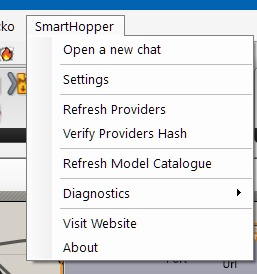
In the Grasshopper menu bar, click SmartHopper → Settings.
4. Point SmartHopper to Ollama
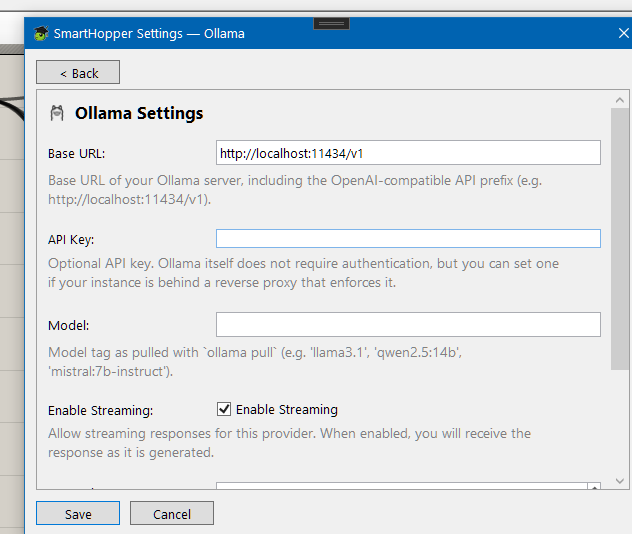
Click the Ollama tile on the General tab and set the server endpoint — the default http://localhost:11434 works for a standard install. Select Ollama as your default provider under General. No API key required.
Local models vary widely in tool-calling, vision, and JSON-schema support. If a feature doesn't work with your model, check the AIModels component for the capabilities SmartHopper detected.