LocalAI Local — free & private
LocalAI is a self-hosted, OpenAI-compatible inference server — no API key needed.
1. Install and run LocalAI
Install and start LocalAI following the guide at localai.io (Docker or binary), and download the models you want to use.
2. Open SmartHopper settings
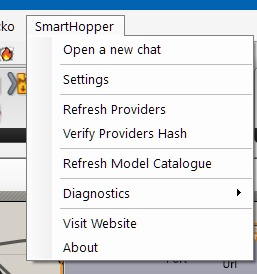
In the Grasshopper menu bar, click SmartHopper → Settings.
3. Point SmartHopper to LocalAI
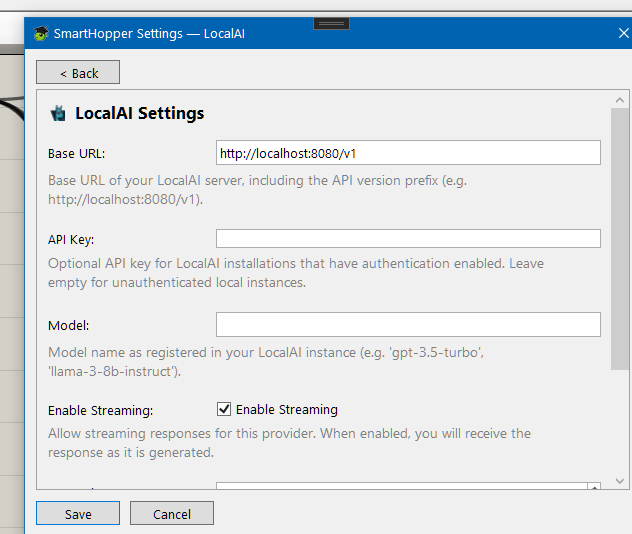
Click the LocalAI tile on the General tab and set the server endpoint (for example http://localhost:8080). Select LocalAI as your default provider under General. No API key required.
Capability limits
LocalAI's model capabilities depend on the backend and models you load. Check the AIModels component for what SmartHopper detected.