Search the McNeel Forum and Other Knowledge Sources
SmartHopper can search, read, and summarize threads from the McNeel Discourse forum, the Ladybug Tools forum, and any other Discourse-powered community — either conversationally through the assistant or directly on the canvas with components.
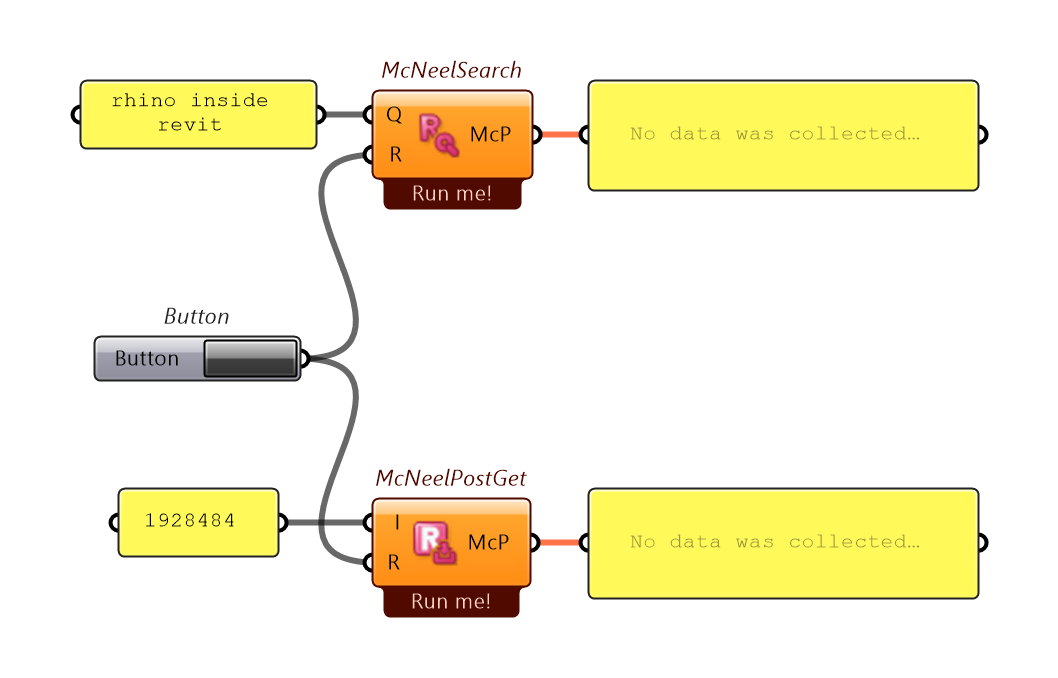
Option 1 — Ask the Canvas Assistant
Simply ask in plain language:
- "Search the McNeel forum for examples of data tree path mapping."
- "Find Ladybug Tools forum posts about outdoor thermal comfort and summarize the recommended workflow."
The assistant searches the forum, reads the most relevant posts, and summarizes the solution with links back to the original discussion.
Option 2 — Wire the Forum components on the canvas
All forum components live in SmartHopper → E. Forums (with input wrappers in B. Input):
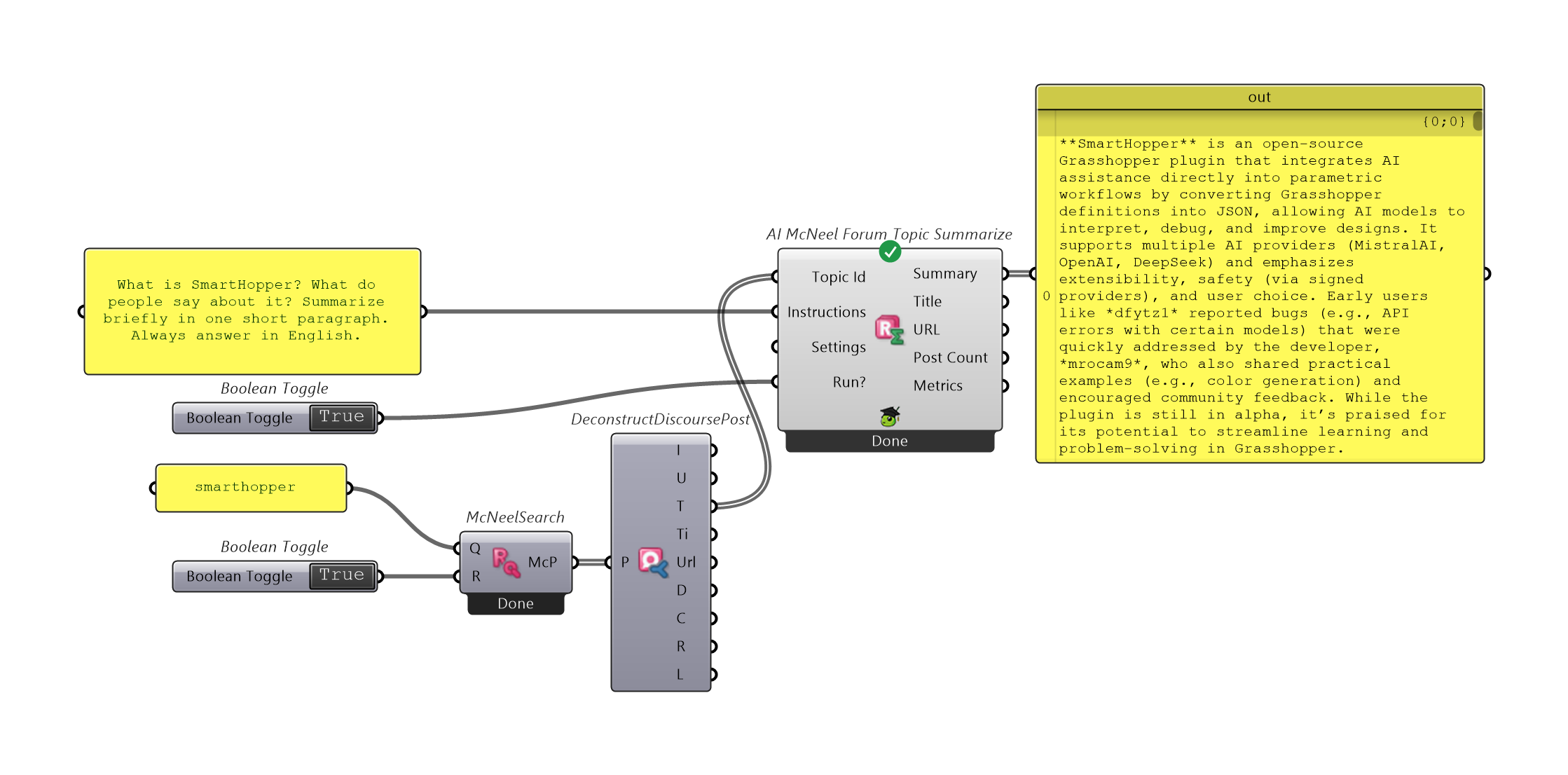
| Goal | Components (SmartHopper → E. Forums unless noted) |
|---|---|
| Search by keywords | McNeelForum Search (McNeelSearch), LadybugForum Search (LadybugSearch), Discourse Search (DiscourseSearch) |
| Split search results into fields | Deconstruct Discourse Post (DeconstructDiscoursePost) — outputs Id, Username, Topic Id, Topic Title, Post URL, Date, Content, Reads, and Likes |
| Fetch a full post by ID | McNeelForum Post Get (McNeelPostGet), LadybugForum Post Get (LadybugPostGet), Discourse Post Get (DiscoursePostGet) |
| Open a post in your browser | McNeelForum Post Open (McNeelPostOpen), LadybugForum Post Open (LadybugPostOpen), Discourse Post Open (DiscoursePostOpen) |
| Summarize a post or topic with AI | AI McNeelForum Post / Topic Summarize, AI LadybugForum Post / Topic Summarize, AI Discourse Post / Topic Summarize |
| Feed into an Input → Output pipeline | McNeel Post / Topic to AI, Ladybug Post / Topic to AI, Discourse Post / Topic to AI (SmartHopper → B. Input) |
Save tokens on long threads
Search first, deconstruct the search results with Deconstruct Discourse Post to inspect titles and post IDs, and then fetch or summarize only the specific posts or topics you need.