Edit Your Canvas with AI
SmartHopper lets the assistant (or canvas components) build, wire, update, and organize your Grasshopper definition — with a review step before anything touches your document.
What the AI can do on your canvas
- Place and update components — generate new component graphs from plain language or update existing components in place (
gh_put, Place GhJSON). - Connect and disconnect wires — wire specific parameters together or infer connections from your goal (
gh_connect,gh_disconnect,gh_smart_connect, AI Smart Connect). - Set parameter and control values — change Number Sliders, Boolean Toggles, Panels, Scribbles, Value Lists, or component input defaults in place (
gh_set_value). - Arrange and group — tidy messy graphs into a clean left-to-right flow (
gh_tidy_up, Tidy Up), move nodes (gh_move), or wrap related nodes in named groups (gh_group). - Control component state — lock/unlock components, show/hide Rhino viewport previews, press Buttons, or re-run components (
gh_component_toggle_lock,gh_component_toggle_preview,button_click,gh_run). - Apply surgical diffs — apply a
.ghpatchdiff so only added, removed, or modified components change (gh_patch_apply, Apply GhPatch to Canvas).
How review and undo keep your file safe
AI proposes canvas changes ──► Review dialog ──► You select & apply ──► Full Ctrl+Z undo
Every action that modifies your active canvas opens the canvas change review dialog. You can inspect every component, wire, and group in the proposal, uncheck any item you don't want, or cancel — and any applied change can be undone with Ctrl+Z.
Building a canvas-editing pipeline with components
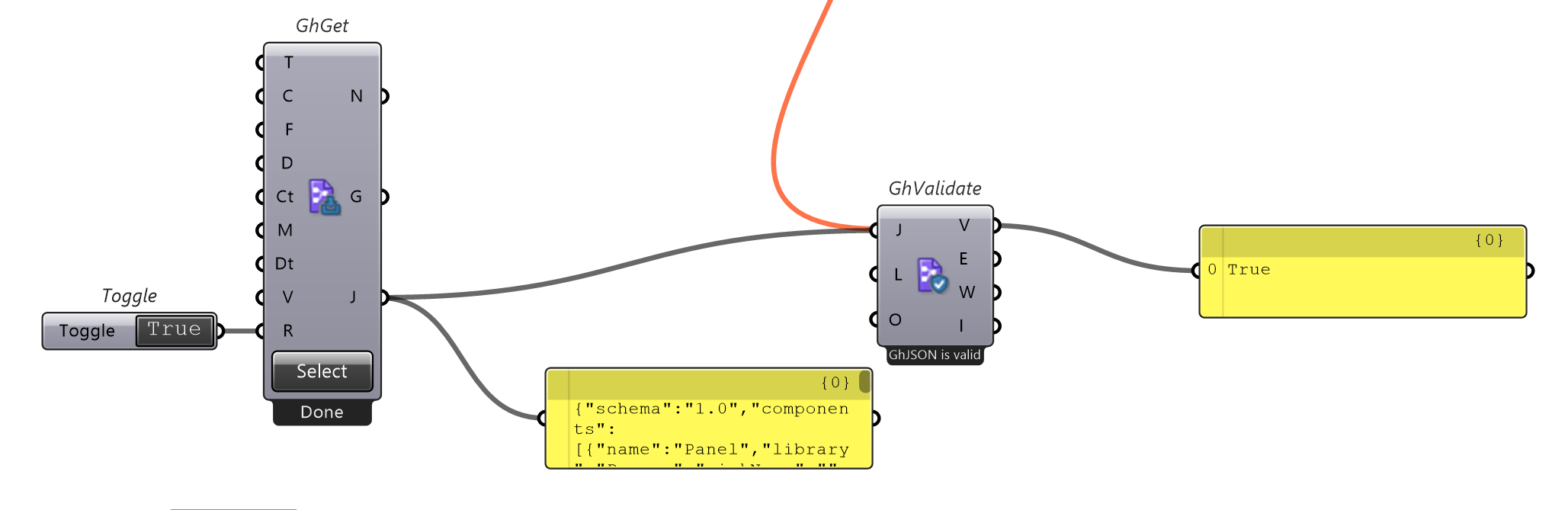
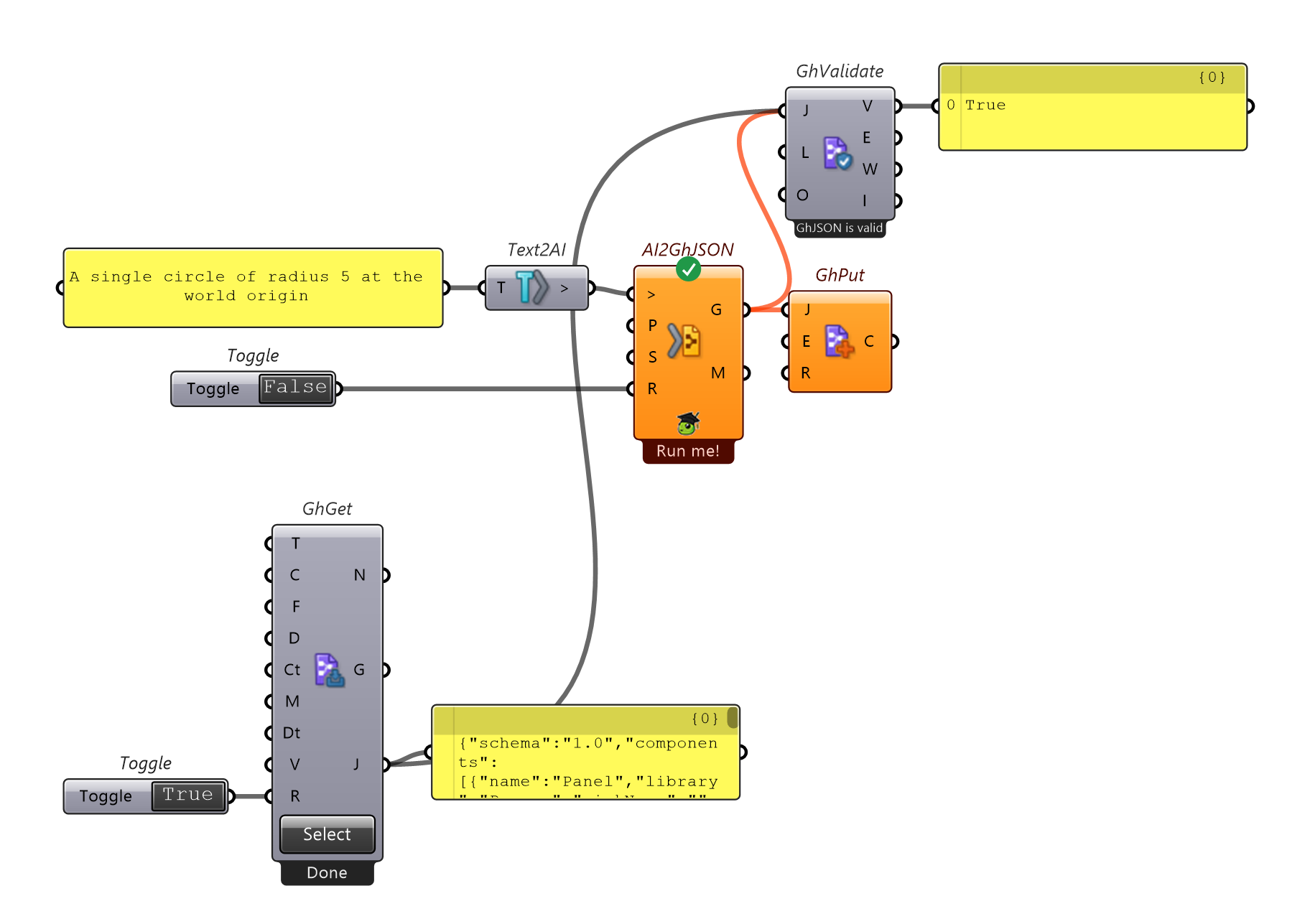
You can also wire the same read → transform → validate → apply workflow on the canvas using components from SmartHopper → D. GhJSON:
Tips for best results
- Select the relevant components first — when you select components on the canvas and ask the assistant to modify or extend "the selected components", it reads only your selection instead of the entire file.
- Work in focused steps — asking for one logical stage at a time makes each review dialog quick and easy to verify.
- Let automatic layout position new nodes — AI-generated GhJSON omits coordinates so SmartHopper can lay out new components cleanly relative to your existing work. Use Tidy Up when you want to reorganize existing components on the canvas.