AI Chat Component
The AI Chat component (AiChat, in SmartHopper → A. AI) places a dedicated chat assistant directly inside your Grasshopper definition — ideal when a file should carry its own specialized assistant or when you want to wire the conversation history into downstream components.
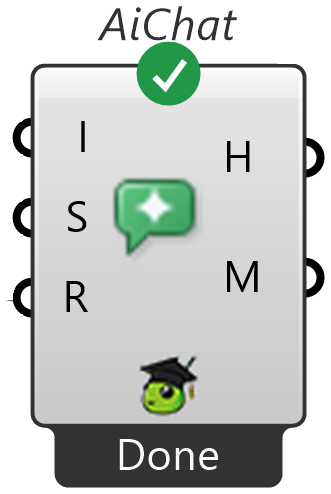
Inputs and outputs
| Parameter | Direction | Description |
|---|---|---|
Instructions (I) | Input | Optional custom instructions that specialize the assistant's role or behavior for this chat session. |
Settings (S) | Input | Optional AI request settings — connect a Settings component or pass a model name as text. |
Run? (R) | Input | Set to True (or double-click/trigger the component) to open the chat window. |
Chat History (H) | Output | Conversation transcript with timestamps and per-message usage metrics. |
Metrics (M) | Output | JSON usage metrics for the session (token counts, completion time, model, and estimated cost). |
How it differs from the toolbar Canvas Assistant
- Saved with your
.ghfile — each AI Chat component stores its own conversation history inside the Grasshopper document. - Custom instructions per component — you can drop multiple AI Chat components into the same file with different
Instructions(for example, one tuned for structural checks and another for scripting help). - Wireable transcript — the
Chat History(H) output lets you feed the conversation into Panels, save it to disk, or pass it to other AI components.
Choose a tool-capable model
Right-click the component → Select AI Provider (or wire Settings) to pick the provider and model for this chat. Make sure the chosen model supports tool calling so it can inspect and edit your canvas.