MCP Server Component
The SmartHopper MCP Server component (MCP, in SmartHopper → A. AI) starts a local Model Context Protocol HTTP server that exposes SmartHopper's tool catalog to external MCP clients such as Claude Desktop, Cursor, VS Code, Claude Code, or your own scripts.
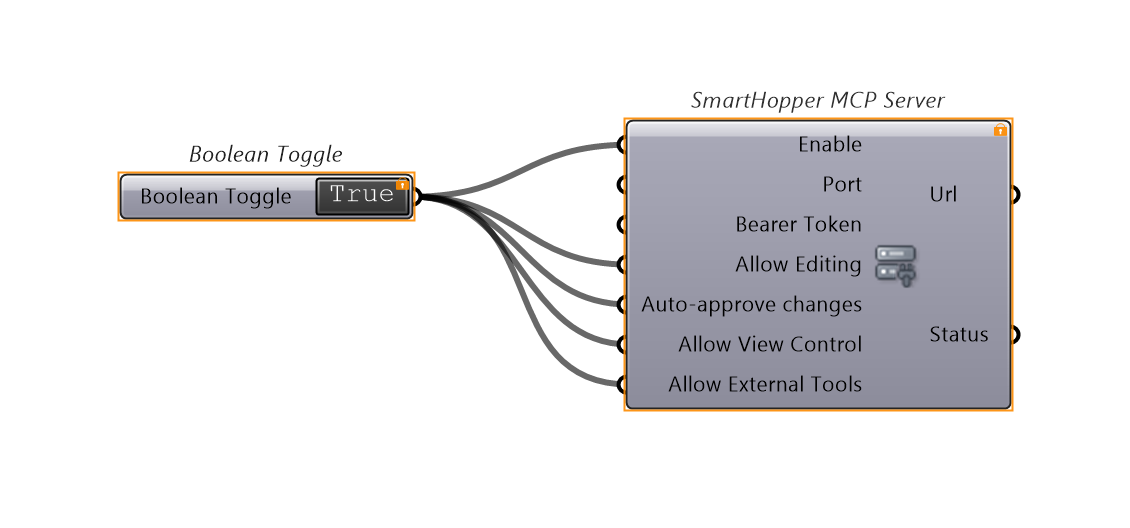
Parameters
Inputs
| Input | Nickname | Default | Description |
|---|---|---|---|
Enable | E | false | Set to True to start the shared MCP server, or False to stop it. |
Port | P | 26929 | TCP port to listen on. |
Bearer Token | T | (empty) | Optional secret token. When set, requests without Authorization: Bearer <token> are rejected with HTTP 401. |
Allow Editing | AE | false | Expose tools that create, wire, move, group, or edit components and scripts on the canvas. |
Auto-approve changes | AA | false | Apply MCP-requested canvas edits immediately without showing the review dialog (Ctrl+Z undo is still recorded). |
Allow View Control | AV | false | Expose viewport navigation tools (canvas_view). |
Allow External Tools | ET | false | Expose tools that reach outside the Grasshopper document (openWorldHint): local file reads/writes (file2md, rhino_*_3dm, gh_document_open/save), screenshots, web/forum fetches (web2md, Discourse), and AI provider calls (text2*, script_*, gh_generate, img2text, speech_generate, providers_models). |
Outputs
| Output | Nickname | Description |
|---|---|---|
Url | U | HTTP endpoint URL (e.g., http://127.0.0.1:26929/mcp) to configure in your MCP client. |
Status | S | Current server status (Stopped, Running on ..., or error/warning details). |
Security defaults
- Loopback-only, always — binds
127.0.0.1and rejects non-loopback peers as well as foreignHost,Origin, orRefererheaders (protecting against DNS rebinding and browser drive-by requests). There is no LAN/listen-on-all-interfaces mode. - Read-only, document-scoped surface by default — with all boolean flags at their
falsedefaults, clients can only call local, read-only canvas inspection and GhJSON tools (gh_get,gh_list_components,gh_diff,gh_patch_validate, etc.). - Opt-in capabilities — enable
Allow Editingfor canvas mutations,Allow View Controlfor viewport movement, andAllow External Toolswhen you want the MCP client to read local files, capture screenshots, fetch web/forum pages, or invoke your configured AI providers. - Per-edit review — even with
Allow Editingon, every canvas change still opens the review dialog unlessAuto-approve changesis also enabled. - Warns when unauthenticated — if the server runs without a
Bearer Token, theStatusoutput warns explicitly that the endpoint is unauthenticated.
Step-by-step client configuration: Connect an MCP client.